Setup
Port Your Phone Number to Mint Mobile: A 2026 Guide
Learn how to port your phone number to Mint Mobile from Verizon, AT&T, and others. Understand account numbers, transfer PINs, and keeping your service active.
- Updated
- 2026-04-21
- Reading time
- 12 min
TL;DR
Porting your number to Mint Mobile requires your current carrier's account number and transfer PIN. Keep your old service active until the port completes to avoid losing your number.
- Gather your current carrier's account number and transfer PIN before starting the port.
- Keep your old service active until the port is confirmed by Mint Mobile.
- The porting process typically takes 1-2 business days but can vary by carrier.
Step-by-Step Guide to Porting Your Number
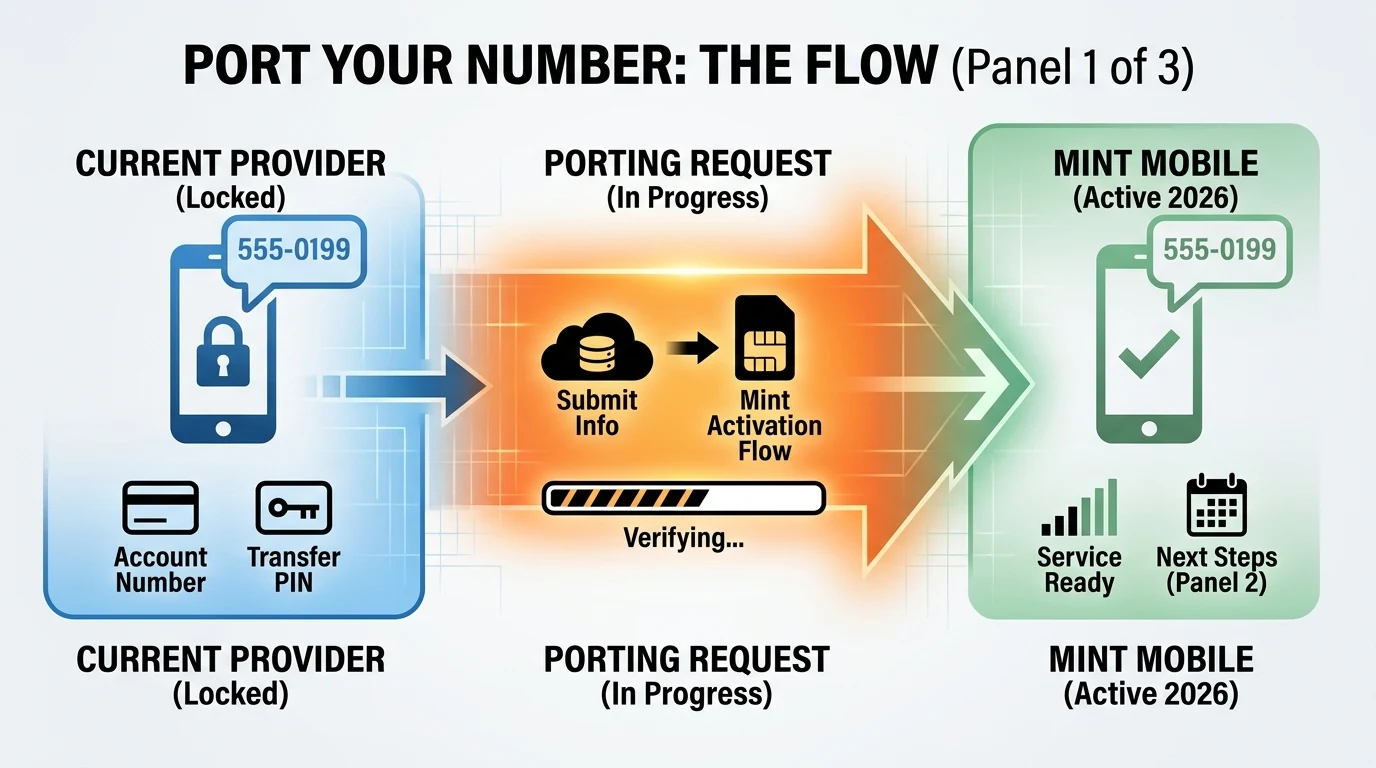
1. Gather Necessary Information
Before initiating the port, gather the following information from your current carrier:
- Account Number: This is usually found on your bill or online account.
- Transfer PIN: A temporary code required to authorize the port. This can typically be generated via your carrier's app or website.
For Verizon, use the My Verizon app or dial *#PORT to generate your transfer PIN. For AT&T, you can generate your PIN via the AT&T app or by calling ***PORT.
2. Keep Your Old Service Active
It's crucial to keep your current service active until the port is complete. Cancelling your service prematurely can result in losing your phone number.
3. Order a Mint Mobile SIM or eSIM
Visit Mint Mobile's website to order a SIM or eSIM. Choose a plan that suits your needs, and ensure your device is compatible by using Mint's compatibility checker.
4. Activate Your Mint Mobile Plan
Once you receive your SIM or eSIM, activate your plan by visiting the Mint Mobile activation page. Enter your ACT code and select "Transfer my number" to initiate the port.
5. Monitor the Porting Process
The porting process typically takes 1-2 business days. You will receive notifications from Mint Mobile once the port is complete. Test your service by making calls and sending texts to ensure everything is working correctly.
Common Pitfalls and How to Avoid Them
- Incorrect Information: Double-check your account number and transfer PIN to avoid delays.
- Service Cancellation: Do not cancel your old service until the port is confirmed.
- Device Compatibility: Ensure your phone is compatible with Mint Mobile's network by using their compatibility checker.
For more on what can go wrong after you switch, read Verizon to Mint Mobile: honest trade-offs after 30 days. If you are moving from Verizon with eSIM, see Transfer your eSIM from Verizon to Mint on iPhone 17.
Comparison Table
| Step | Description |
|---|---|
| Gather Information | Collect account number and transfer PIN from your current carrier. |
| Keep Service Active | Maintain your current service until the port is confirmed by Mint Mobile. |
| Order SIM or eSIM | Purchase a Mint Mobile SIM or eSIM and choose a suitable plan. |
| Activate Plan | Activate your Mint Mobile plan and initiate the number transfer. |
| Monitor Porting Process | Check for notifications from Mint Mobile and test your service. |
Disclaimer
This guide provides general information on porting your phone number to Mint Mobile and is based on the latest available practices as of April 2026. Carrier porting rules can change, so always verify details with Mint Mobile and your current carrier.
Visual summary
FAQ
Short answers; details are in the article above.
- Cancelling your old service before the port completes can result in losing your phone number. Always keep your old service active until the port is confirmed by Mint Mobile.
- The porting process typically takes 1-2 business days, but it can vary depending on your current carrier.